All features

Rules and transactions

Order you choose.
Consistency you keep.

Define how to recognise your expenses and make descriptions easier to read. Personal rules and bulk editing help you build consistency.

Free plan · €0 · No card required

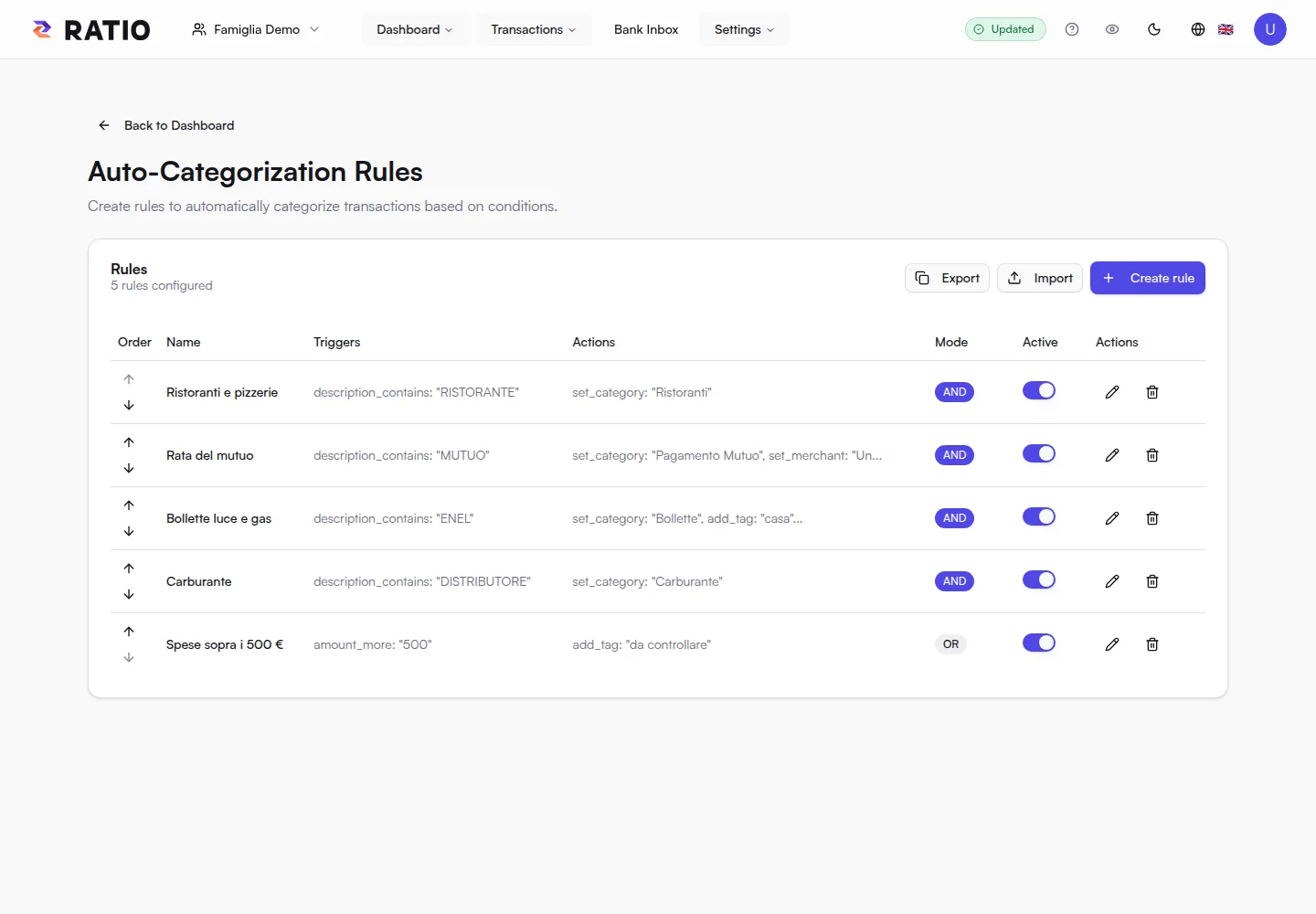
Categorisation rules: criteria to organise your transactions.

Categorisation rules: criteria to organise your transactions.

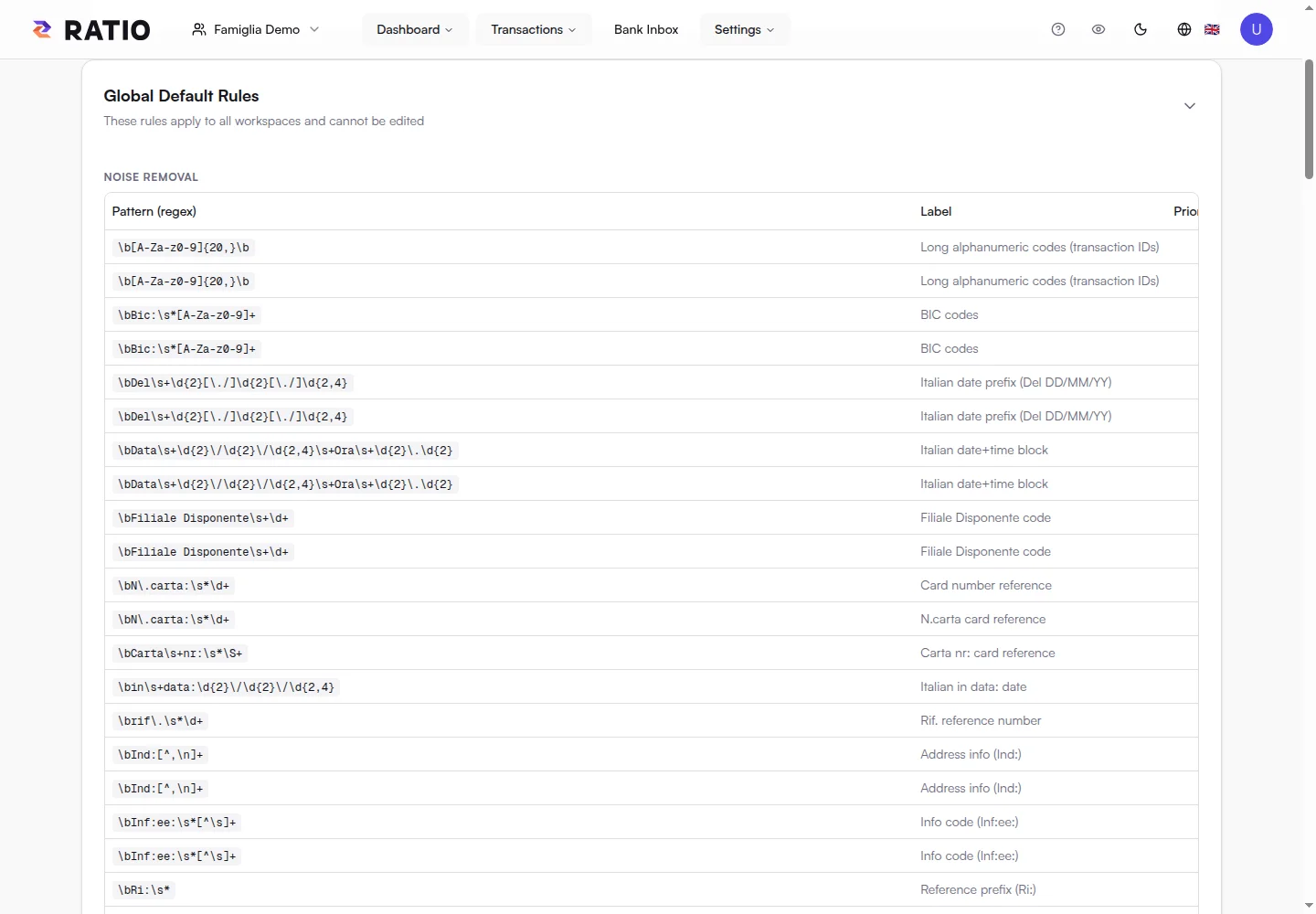
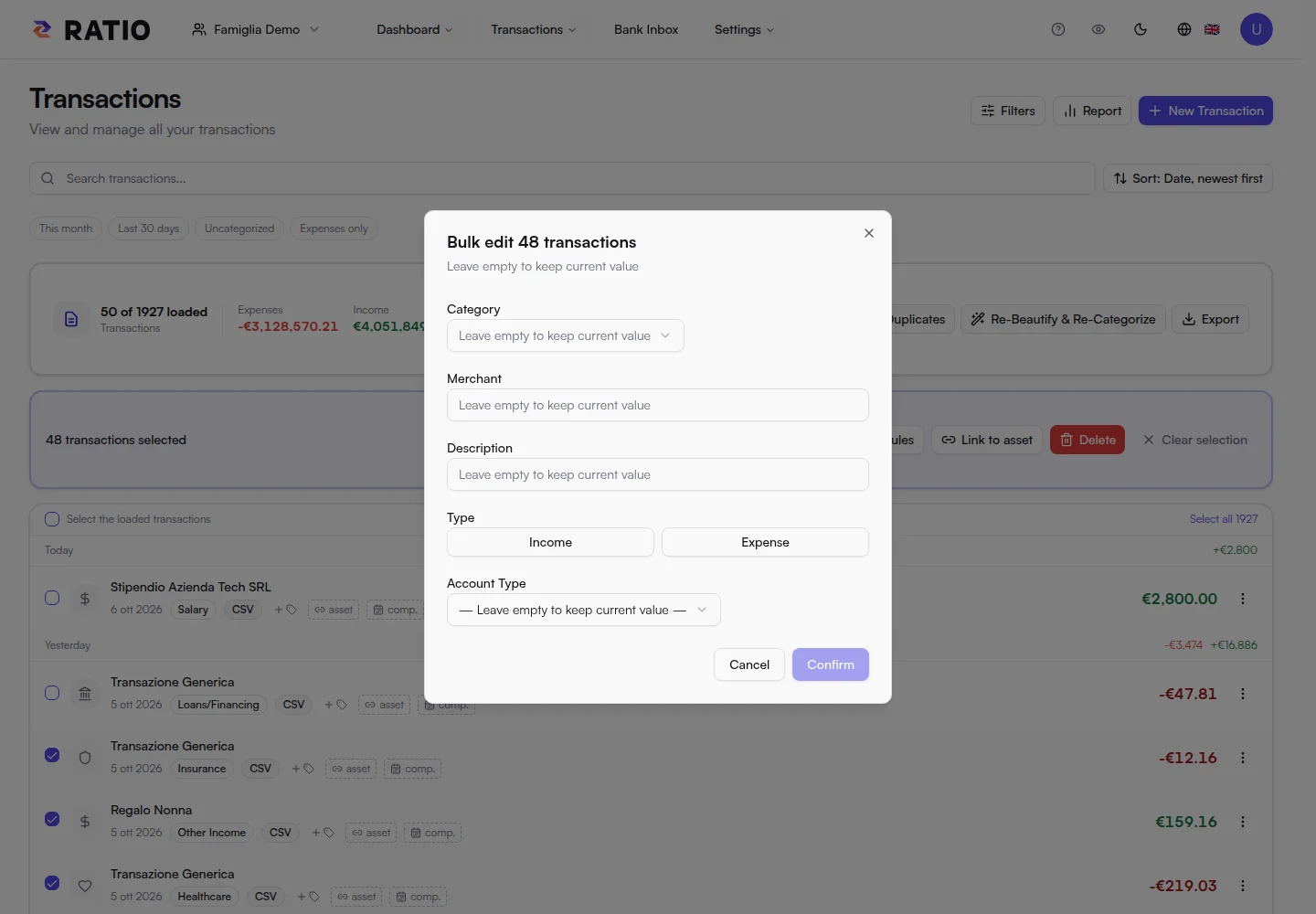
Real screens from the public demo. These views illustrate the product; Free availability and quotas are summarised at the bottom of this page.

In practice

Less repetitive work, more meaning.

The same supermarket, a monthly bill, an unreadable bank description: tell Ratio how to organise what you recognise.

01

Give habits a name.

Create criteria that assign categories to transactions you recognise. Consistent classification helps compare similar expenses over time.

Rules are explicit: you decide the conditions and the result. Review them whenever your habits change.

02

Make descriptions readable.

Bank descriptions often include codes and repetitive phrases. Description cleanup rules let you turn that text into something more useful to browse.

Rule classification and text transformations happen locally on decrypted data. Financial results are encrypted before saving.

03

Organise several transactions together.

Select relevant transactions and use bulk editing to update available fields. It helps correct a recurring category or organise a group of entries.

Check the selection before confirming. Changes improve the foundation for search, charts and understanding your habits.

Your next step

From repetition to consistency.

  1. 01

    Identify a recurring description or expense.

  2. 02

    Define your rule and check the result.

  3. 03

    Review transactions and categories in the charts.

Ratio Free

Start with what matters.

Import your statements or link up to two accounts through your local Bank Connector, then see where your money goes.

Start for free
  • 1 personal or family workspace
  • Local import of compatible text PDFs, CSV and XLSX files, up to 5 MB per file
  • Classification rules, transaction search and editing
  • Dashboard and charts for income, expenses and categories
  • Financial data encrypted on your device before storage
  • Bank Connector for up to 2 accounts linked from your local daemon
  • One Local AI device for private analysis
  • Encrypted history retained with no time limit (search and statistics cover the latest 18 months)

Your encrypted history stays stored without a time limit, while Free search and statistics focus on the latest 18 months.